Funky Wallpaper–HD Background
- 4.3
- Rating
- 100.00K
- Installs
- Free
- Price

 Analysis by App-foxy
I installed Funky Wallpaper–HD Background when I wanted a quicker way to change the look of my phone without spending time searching through unrelated image collections. It is a free personalization app from HNI.AI, built around a simple idea: help me find a wallpaper style that fits my current mood instead of making me browse endlessly. That focus makes it feel more like a visual picker than a full phone-customization suite.
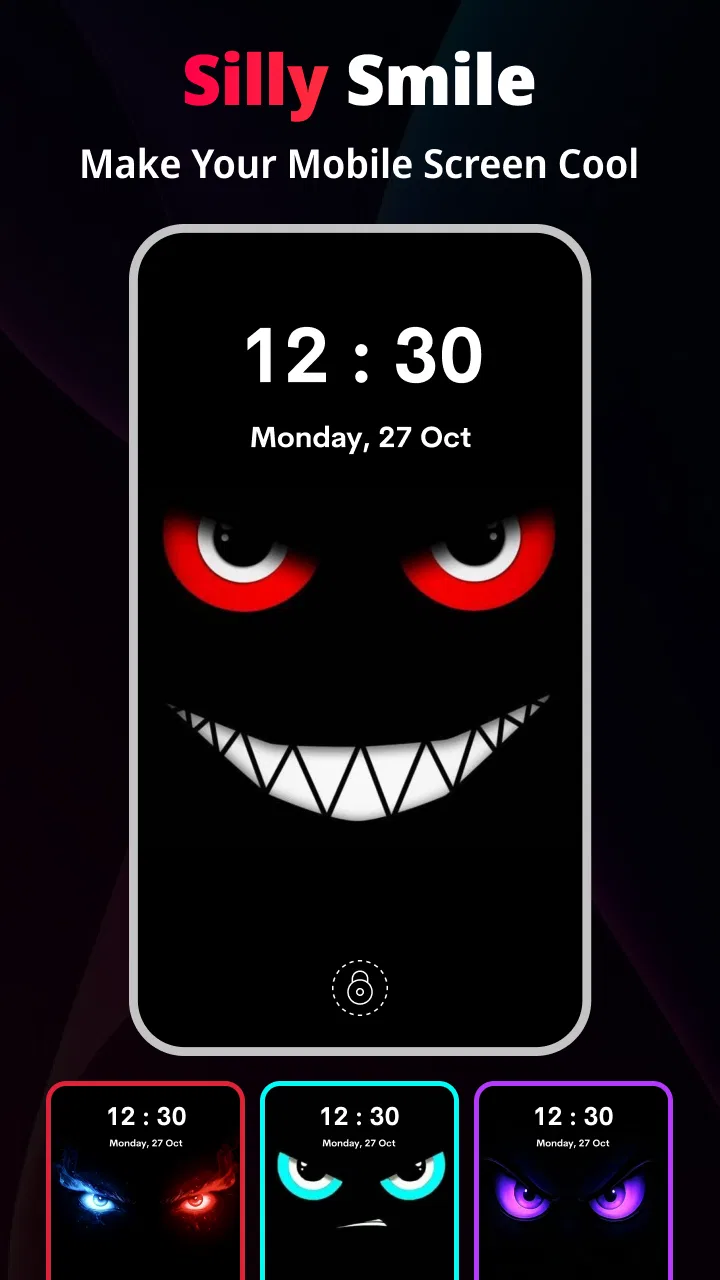
My first impression was that the app is aimed at people who want an immediate change. I do not need to understand editing tools or prepare images in advance. I can open it with a vague preference—something lively, dark, playful, or unusual—and use the available presentation to narrow down what feels right. The store’s “Funky Wallpaper” label is brief, but it gives a fair hint about the personality: this is not trying to be a formal collection of plain business backgrounds.
From a vague mood to a usable phone background
I like how the app begins with a feeling rather than a search term, so this section looks at turning a loose idea into a practical choice for the screen you use every day. I’ll also focus on a small but useful habit: deciding where icons and notifications need visual breathing room before settling on a design.
You May Also Like

 Blood Strike: 2.5 Anniversary
Blood Strike’s Loadouts Turn Every Drop Into a Tactical Gamble
A close look at Blood Strike’s custom loadouts: how fast access to signature weapons reshapes its battle royale rhythm, rewards preparation, and narrows the gap between fights.

 Pandora - Music & Podcasts
Pandora’s Music Is Easy to Start, but Harder to Recover
Pandora’s strength is its low-effort path from a seed to a station. Its weak spot is how much confidence it asks you to place in connection, setup, and quiet recovery.

 8 Ball Pool
 Is Built on Rivalries, Rematches, and Routine
A close look at the rivalries, rematches, shared routines, and unanswered safety questions that turn a quick pool match into a persistent mobile community.

 Samsung Music
’s Quiet Strength Is Playing What You Already Own
Its reach comes less from spectacle than from dependable access to a personal library. That simplicity is both the app’s strongest retention engine and its ceiling.

 AccuWeather: Weather Radar
AccuWeather Review: A Quick, Clear Forecast for Everyday Decisions
For everyday plans, the best forecast is the one you can understand quickly. AccuWeather makes rain timing, radar, and local conditions easy to act on, with a few trade-offs.

 Hill Climb Racing
Why Hill Climb Racing Still Turns Crashes Into One More Run
A tiny car, a bumpy hill and one more upgrade: Hill Climb Racing keeps resurfacing because its simple chaos makes every near-miss feel personal.
More From Our News Desk



Starting with the situation that actually matters
The most realistic use case is a small one. I might be waiting for a bus, feel bored with my current home screen, and want a different visual without opening a design program. In that moment, the useful question is not “Which exact image should I download?” It is “What kind of look suits me today?” Funky Wallpaper–HD Background is organized around that second question.
That approach is helpful because wallpaper decisions are often less precise than people expect. I may know that I want something energetic but not know whether that means bright colors, abstract shapes, or a more playful composition. A mood-based browsing experience can reduce that initial hesitation. Instead of beginning with a blank search box, I can react to examples and let the visual direction guide me.
I also found this positioning important for expectations. The app belongs in the personalization space, not in the same category as a full image editor, launcher, icon pack, or lock-screen replacement. Its job is to help me choose a background. Anyone looking for layered editing, custom typography, or a complete theme system should not treat it as a substitute for those tools.
Moving through the selection process
The practical flow is straightforward: open the app, look through the available wallpaper presentation, identify a style that matches the mood I have in mind, and move toward using that choice on the phone. The value is in shortening the distance between inspiration and a finished background. I do not have to start by collecting images from several unrelated sources and then decide which ones are suitable for a screen.
My advice is to begin with the screen that needs the change most. If the home screen is crowded with icons, a very busy image may make it harder to read app labels. If the lock screen is mostly covered by notifications or clock elements, strong detail near the top can become distracting. I would therefore browse with the intended destination in mind rather than choosing only on the basis of a thumbnail that looks attractive by itself.
A second useful habit is to judge the wallpaper at the same brightness level I normally use. Bright, colorful backgrounds can look impressive during a quick browse but may feel tiring when the phone is used indoors at night. Conversely, a darker design may look too subdued in the selection view yet work well behind light text and widgets. This is one of the trade-offs that a short store summary cannot explain.
The app’s free entry point also makes experimentation easy. I can try a different visual direction without committing money before knowing whether the browsing style suits me. At the same time, the presence of in-app purchases ranging from $1.99 to $14.99 per item means I would pay attention to what is included before selecting anything paid. The free label is useful, but it should not be read as a promise that every possible item or option is included without charge.
Handling the handoff from browsing to the phone
The most important handoff is the moment when an image stops being something I am viewing inside the app and becomes part of my phone’s everyday interface. That transition deserves more thought than it usually gets. I would check whether the chosen design leaves enough quiet space for icons, widgets, and notification text. A wallpaper that looks excellent in isolation can be a poor home-screen choice if its central contrast competes with the icons placed over it.
I also separate the home-screen decision from the lock-screen decision. A bold pattern may be enjoyable behind a small number of lock-screen elements but overwhelming behind a full grid of apps. If the app presents several styles, I would not automatically use the same choice in both places. The better result often comes from matching the wallpaper to the amount of information each screen displays.
Another practical point is to avoid changing the background during a rushed moment if I need to preserve the current setup. I prefer to note which style I am using before trying another one, especially when I am comparing several possibilities. That small step makes it easier to return to a previous look instead of treating every change as irreversible experimentation.
What the finished result feels like
The strongest outcome is not simply having a high-definition picture on the phone. It is getting a background that feels intentional without requiring a long design session. When the selected style fits the mood and leaves the interface readable, the app succeeds at its main purpose. The phone feels refreshed, but the process remains light enough to repeat whenever I want a change.
I particularly like the idea of using it as a visual reset. After using the same background for weeks, I may not need a permanent new identity for the phone; I may only want a different atmosphere for a while. Funky Wallpaper–HD Background is well suited to that temporary, low-effort change because its appeal is based on discovery rather than a complicated setup.
It can also help someone who is unsure what kind of wallpaper they like. Instead of downloading random images from a general search and hoping they crop correctly, the user can start from a collection designed around a recognizable style. That does not guarantee that every option will suit every screen, but it makes the first stage of the decision less frustrating.
Where the workflow becomes less comfortable
The biggest limitation is the narrowness of the concept. If I want to make a wallpaper from my own photographs, add a quote, adjust colors precisely, or build a coordinated set of icons and widgets, this is not the tool I would choose. A dedicated editor or a broader theme app would give me more control. The focused experience is convenient only when my priority is finding a ready-made background quickly.
There is also a natural risk in mood-based browsing: I may spend more time looking because the choice is open-ended. A search-driven wallpaper app can be faster when I already know that I want a particular subject, color, or visual style. Here, the strength is discovery, but discovery can turn into indecision if I keep comparing images without a clear stopping point.
Paid items create another point where the flow can break. I would not assume that an appealing preview is automatically part of the free experience. Before confirming an in-app purchase, I would check the item’s price and consider whether the improvement is meaningful on my particular screen. Paying for a background can be reasonable for someone who cares about a very specific visual identity, but it is harder to justify when I only want a temporary change.
Compatibility is another practical consideration. The app supports Android devices running version 7.0 or later, which covers a broad range of phones, but the final appearance can still vary with screen shape, icon layout, display settings, and the way a device crops backgrounds. I would always evaluate the actual preview on my phone rather than assuming that a design will frame itself perfectly on every model.
Who will get the most from it
I would recommend this app to someone who changes wallpapers often, enjoys expressive visual styles, and prefers choosing from inspiration instead of creating everything manually. It is also a good fit for a user who wants a quick personal touch after buying a new phone or reorganizing the home screen. The free starting point lowers the barrier to trying that workflow.
It makes less sense for a person who already has a carefully organized wallpaper library, needs exact search controls, or wants advanced customization. If I know the precise image I want, a local gallery or a more search-oriented wallpaper service may get me to the result faster. If I need a complete visual system, a launcher or theme package is likely the better destination.
Families may also appreciate the Everyone content rating because it keeps the app approachable for a wide audience. That does not change the need to supervise purchases on a shared device, especially when optional items can cost different amounts. I would treat the age rating and the payment step as separate considerations.
How it compares with familiar alternatives
Compared with the phone’s built-in wallpaper picker, Funky Wallpaper–HD Background offers a more curated starting point for people who want a distinctive look. The default picker is usually convenient when I already have an image or want a basic system background. This app is more useful when I want help discovering a style and do not want to assemble the search myself.
Compared with a general image-search service, it should reduce the amount of unsuitable material I have to sort through. A broad search can provide more variety, but it also brings cropping problems, inconsistent quality, and the extra step of deciding whether an image is appropriate for a phone interface. The focused app trades some of that limitless choice for a more direct route to a wallpaper-oriented result.
Compared with a design editor, it gives up control in exchange for speed. I would choose an editor when I need a personal photo, exact dimensions, text placement, or brand colors. I would choose this app when my priority is to browse, react, and finish without turning wallpaper selection into a project.
Everyday tips that improve the outcome
When choosing for the home screen, look for calmer areas where icons can sit clearly. A striking image with detail everywhere may be less usable than a simpler design with one strong focal point.
For a lock screen, check where the clock and notifications appear before settling on a background. Keeping the busiest visual elements away from that area can make the result feel much cleaner.
If you are comparing paid and free choices, test the free workflow first and decide whether the app’s style is genuinely useful to you. That avoids paying for an item before you know whether the overall browsing experience fits your habits.
Use the app when your goal is a mood change, not when you need a precise image search. Knowing that distinction prevents frustration and makes its focused design work in its favor.
What the numbers suggest about its place in the market
The app has an average rating of 4.3 from around 142 ratings and has passed 100K installs, which suggests that it has found an audience while still being a relatively focused product rather than an unavoidable mainstream utility. I read that as encouragement to try it, not as proof that every device or taste will produce the same result. Wallpaper preference is especially personal, so the browsing experience matters more to me than the rating alone.
HNI.AI lists the current release as version 1.1.4. Since the app was released on November 20, 2025, I would keep expectations realistic about how mature its catalog and workflow may feel compared with long-established personalization platforms. That does not make it a poor choice; it simply means I value a clean, useful core experience more than a huge ecosystem of extras.
My final take after following the full workflow
Funky Wallpaper–HD Background works best when I begin with a feeling rather than a technical requirement. I open it because the phone looks stale, browse for a visual direction, consider how the design will behave behind icons and notifications, and then make a deliberate choice. The result is a faster refresh than building a background myself, with enough personality to feel more interesting than a default system image.
Its limits are clear, and I think that is healthy. It is not the right answer for custom composition, detailed editing, or a complete phone theme. The optional purchases also mean I would inspect the cost before committing. But for a free personalization app that helps turn an uncertain mood into a ready-to-use background, it offers a sensible and approachable workflow.
If I were recommending it to a friend, I would say: try it when you want a funky visual change and do not want to spend an evening searching or editing. Start with the free experience, judge the result on your actual home and lock screens, and only consider paid items if they solve a specific visual need. The best reason to use it is the reduction of decision friction—it helps me move from “I want something different” to a phone background that feels chosen, not random.
FAQs for Funky Wallpaper–HD Background
01What features does Funky Wallpaper–HD Background offer?
Funky Wallpaper–HD Background provides a wide range of high-definition wallpapers across various categories such as nature, abstract, technology, and more. Users can easily browse, download, and set wallpapers directly from the app. The app also includes customization features, allowing users to adjust brightness, contrast, and crop images to fit their screens.
02Is Funky Wallpaper–HD Background free to use?
Yes, Funky Wallpaper–HD Background is free to download and use. However, it may contain in-app purchases or ads. Some premium wallpapers or additional features might require a one-time purchase or a subscription. Always check the app’s description on the respective store for detailed pricing information.
03How often are new wallpapers added to the app?
The app is regularly updated with fresh content, ensuring that users always have access to new and trendy wallpapers. Typically, new wallpapers are added weekly, but this can vary. Users can enable notifications to be alerted about the latest additions and updates to the collection.
04Can I use Funky Wallpaper–HD Background offline?
Once wallpapers are downloaded, they can be accessed offline. However, browsing the latest available wallpapers requires an internet connection. To ensure you have access to your favorite wallpapers at all times, download them when you have internet access for offline use later.
05How does Funky Wallpaper–HD Background affect battery life?
Using static wallpapers from Funky Wallpaper–HD Background has a minimal impact on battery life. However, if you choose dynamic or live wallpapers, they might consume more power due to their interactive nature. It's recommended to test different settings to see which option best balances aesthetics and battery performance.
Pros
- High-quality image resolution.
- Wide variety of categories.
- User-friendly interface.
- Regular updates with new wallpapers.
- Offline access to downloaded wallpapers.
Cons
- Contains ads that can be intrusive.
- Limited free options without subscription.
- Occasional app crashes reported.
- Large file size may impact storage.
- Requires online access for full features.

Funky Wallpaper–HD Background
Gallery